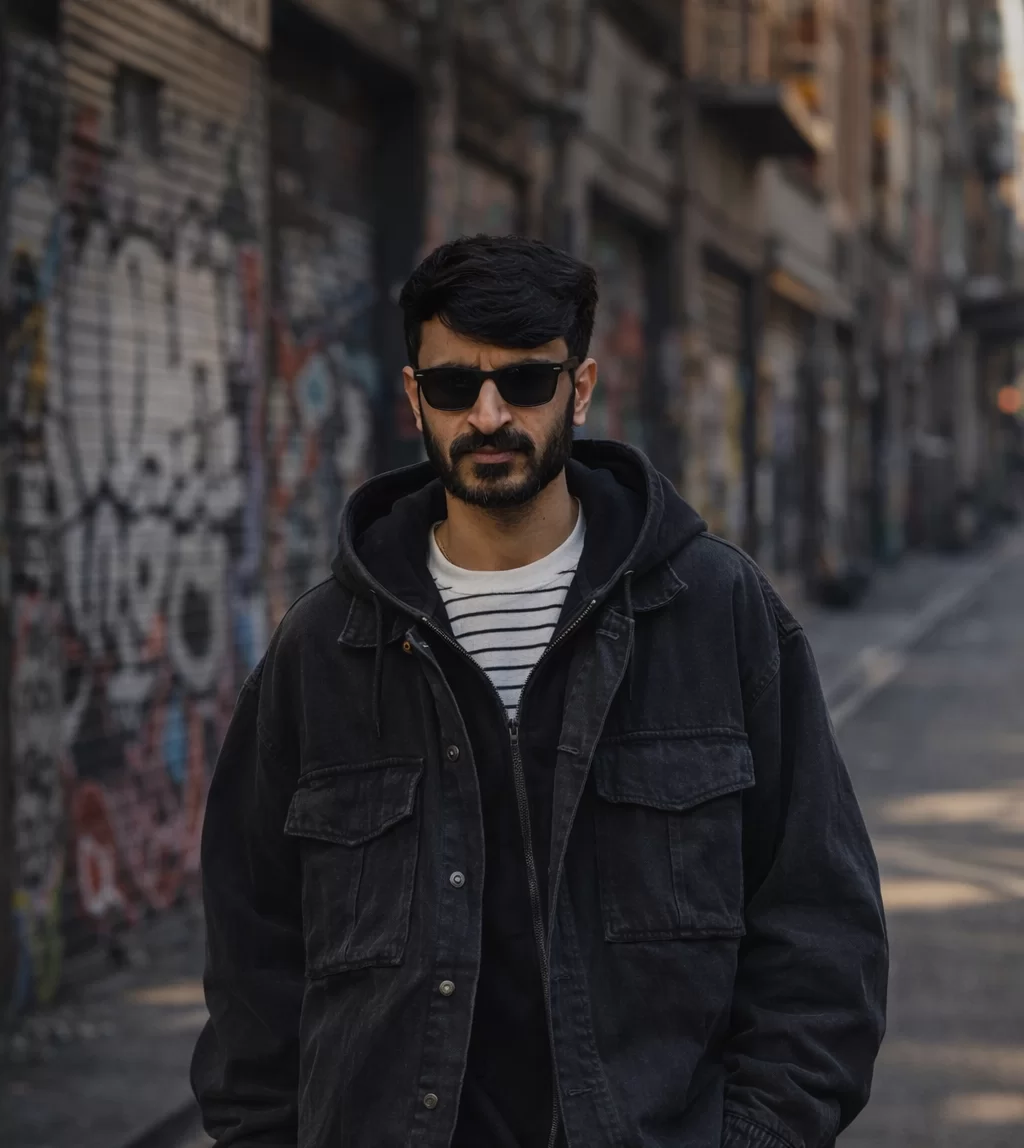
This blog reveals 10 trending Gemini AI photo prompts for a girl with rose using an uploaded photo. Unlike generic AI prompts, every prompt here includes a special face-reference instruction that tells Gemini AI to use your uploaded image as the base- preserving your exact facial structure, skin tone, eye shape, and natural features. Whether you dream of a golden-hour rose portrait, a dark romance editorial, or a viral couple aesthetic, these prompts are ready to copy, paste, and generate. A step-by-step guide is included so you can start creating immediately.
Trending Gemini AI Photo Prompts for Girl With Rose
The world of AI-generated photography has exploded- and at the center of it all is a single, powerful question: “What if the person in that beautiful AI photo was actually me?” That’s exactly the problem these Gemini AI photo prompts for girl solve. With the right technique, you can upload your own photo to Gemini AI and receive a stunning, photorealistic portrait that preserves your face while placing you inside a breathtaking rose-themed scene.
This is not just about pretty pictures. AI photo creation has become a creative career, a social media strategy, and a form of self-expression for millions of people worldwide. Knowing how to write prompts that respect your unique features-your skin tone, your eye shape, the way your face naturally sits- is the skill that separates good AI art from viral AI art.
Roses carry centuries of symbolism: love, mystery, beauty, strength. In the world of AI imagery, a girl with a rose is one of the most emotionally powerful compositions you can create. Add your own face to that image, and you have something truly personal -and truly shareable.
Click any “Copy” button to copy that prompt · Click anywhere in the text to select all
Prompt 1Golden Hour — Rose Held to Cheek
Use the uploaded photo as the exact face, skin tone, eye color, and facial structure reference. Generate an ultra-realistic portrait photograph of the same woman, preserving every facial detail — skin texture, eye shape, lip fullness, jawline, and natural complexion. She is holding a single deep crimson rose gently against her cheek, petals brushing her skin. Her hair is naturally styled and slightly tousled by a warm breeze. Background is a soft bokeh of blurred golden amber and rose-gold sunset tones. Warm golden hour sunlight casting a radiant halo on her hair. Shot on Canon EOS R5, 85mm f/1.4 prime lens, ultra-shallow depth of field with razor-sharp face focus, photorealistic, natural skin pores visible, catchlights in eyes, 8K resolution, magazine-quality portrait.
Prompt 2Dark Romance — Blood-Red Rose & Deep Shadows
Use the uploaded photo as the definitive face reference — replicate the exact skin color, eye color and shape, facial bone structure, brow arch, nose shape, and lip form precisely. Generate a cinematic, hyper-realistic portrait of the same woman in a dark moody studio setting. She holds a single blood-red long-stem rose at chest height, gazing directly into the camera with a calm, mysterious intensity. Background is deep black velvet with subtle muted maroon undertones. Dramatic single-source Rembrandt lighting illuminating one side of her face, casting deep natural shadows on the other side. Visible natural skin detail, pores, and micro-texture. Shot on Sony A7R IV, 105mm f/2.8 macro-portrait lens, cinematic deep contrast, fine film grain texture, 8K, editorial fashion photography quality.
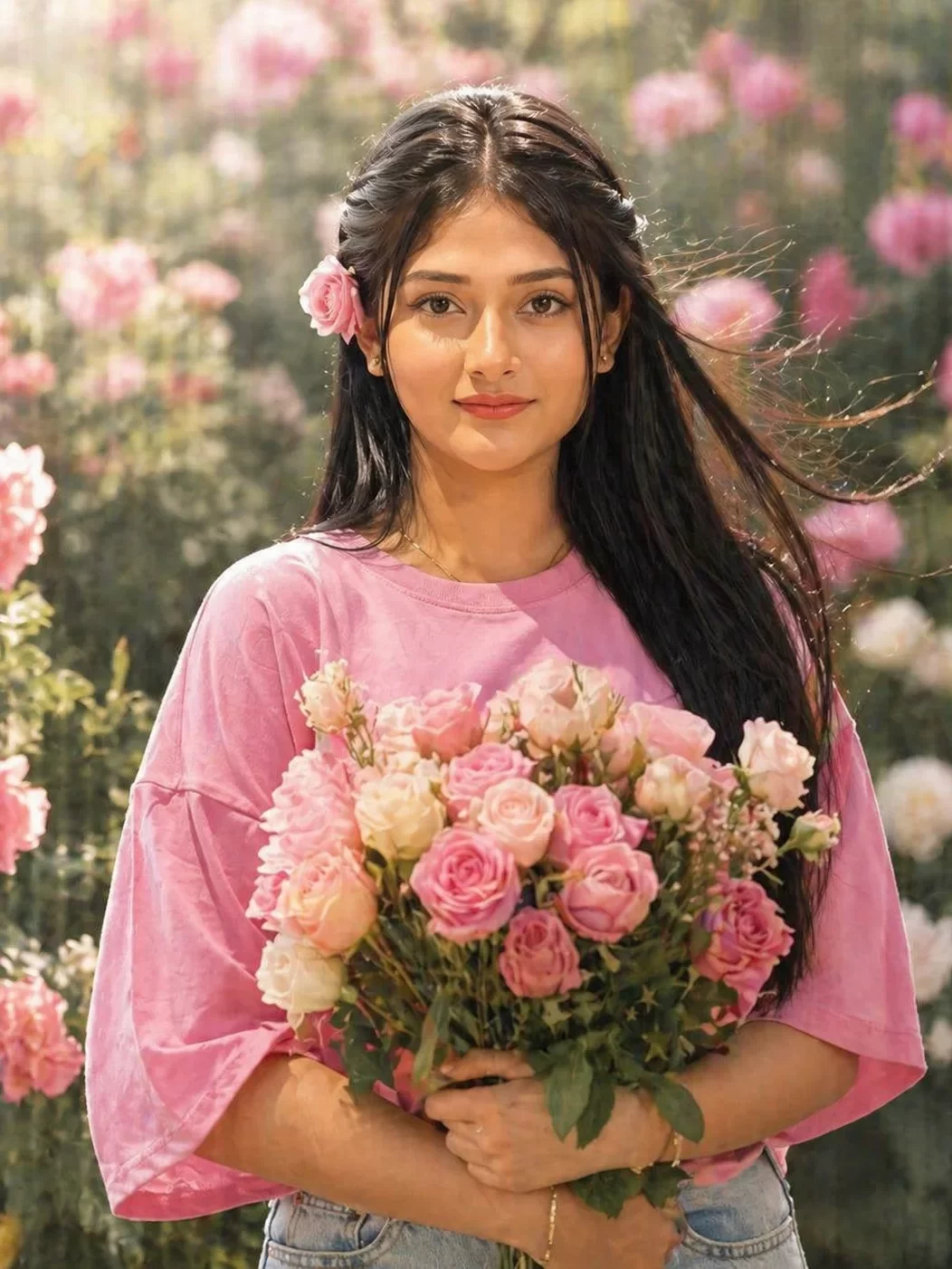
Use the uploaded photo as the sole face, skin tone, and eye reference — match the exact complexion depth, natural undertones, eye color, and unique facial geometry of the subject. Generate a dreamy, hyper-realistic outdoor portrait of the same woman standing in a lush rose garden in soft morning light. She holds a full bouquet of blush-pink and cream roses, one rose gently tucked behind her ear. Her hair is naturally flowing in a soft breeze. The garden background is richly blurred with soft bokeh of pink, ivory, and sage green tones. Gentle diffused morning sunlight creating a luminous, skin-glowing effect with no harsh shadows. Shot on Nikon Z9, 70mm lens, shallow depth of field, pastel film color grade, hyperrealistic skin texture, 8K resolution.
Prompt 4Midnight Luxury — White Rose Against Dark Backdrop
Using the uploaded photo as the master face reference, accurately reproduce the subject’s skin tone, skin texture depth, eye color and shape, natural lip color, facial proportions, and hair color and texture. Generate a breathtaking hyper-realistic night portrait of the same woman. She cradles a single large white rose with soft cream-pink petal edges, the rose glowing softly in the low-light environment. Background is deep midnight blue with soft defocused city bokeh lights creating a dreamy glow. Cool, silver-white rim light from behind creating an elegant luminous halo effect around her head and shoulders. Foreground petals slightly out of focus for depth. Shot on Leica SL2-S, 75mm Noctilux lens, low-light photorealism, natural noise grain, cinematic contrast curve, 8K, luxury beauty editorial quality.
Prompt 5Cherry Blossom Dream — Rose at Lips, Eyes Closed
Reference the uploaded photo to maintain the exact facial identity of the subject — preserve the specific skin tone and undertone, the precise shape of the eyes including lid structure and lash density, the natural brow shape, the exact nose profile, and the natural lip form and color. Generate a hyper-realistic, emotionally moving portrait of the same woman with eyes gently closed, holding a deep crimson rose to her lips as though deeply inhaling its scent, lashes lightly resting on her cheeks. Background is a soft blur of cherry blossom trees in full bloom, pink and white petals caught mid-fall around her. Warm dappled spring sunlight filtering through the blossoms creating a magical glow. Shot on Fujifilm GFX 100S, 110mm lens, film simulation, 8K.
Prompt 6City Girl — Yellow Rose, Confident Gaze
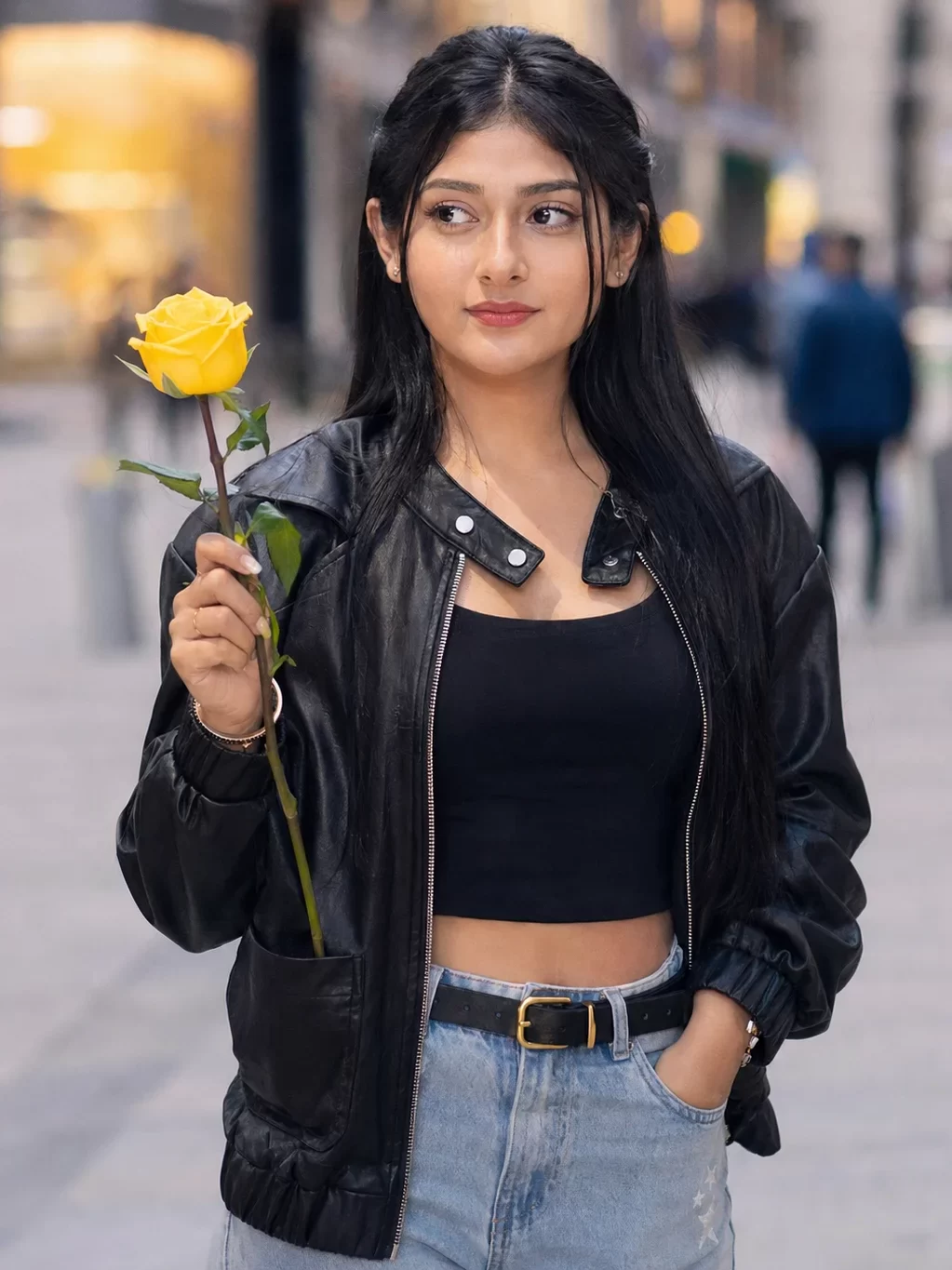
Use the uploaded image as the face reference — maintain the subject’s exact skin color, complexion warmth, natural eye color, unique eye and brow shape, hair color, and natural facial proportions throughout the generated image. Create a hyper-realistic street fashion portrait of the same woman in an urban setting. She casually holds a bright yellow rose at shoulder height, looking off to the side with a relaxed, confident expression. She wears a contemporary fashion outfit. Background is a softly blurred city street with warm bokeh streetlights and building facades in blurred warm gray and amber tones. Natural overcast daylight, soft diffused shadows, no harsh highlights. Sharp face focus, natural skin detail. Shot on Nikon Z8, 50mm f/1.8 lens, street photography aesthetic, photorealistic color grading, visible skin texture, 8K editorial quality.
Prompt 7Mystical Forest — Black Rose & Bioluminescent Glow
Use the uploaded photo as the absolute face identity reference — faithfully preserve the subject’s skin tone, skin surface texture, eye color with all its natural variation and detail including the iris ring pattern, the natural brow arch and density, the exact shape of the nose and nostrils, and the natural lip color and fullness. Generate a hyper-realistic fantasy portrait of the same woman in a mystical glowing forest at night. She holds a rare deep black rose with subtle dark-purple velvet edges, gazing at it with an expression of awe and wonder. Background is a magical bioluminescent forest with soft glowing teal, emerald green, and deep violet bokeh lights among the trees. A subtle magical mist drifts at ground level. Soft ethereal rim-light in silver-teal wrapping around her silhouette. Shot on Canon EOS R3, 85mm lens, fantasy-editorial style, painterly yet photorealistic, natural skin detail, 8K.
Prompt 8Stone Bench Garden — Full Body Rose Contemplation
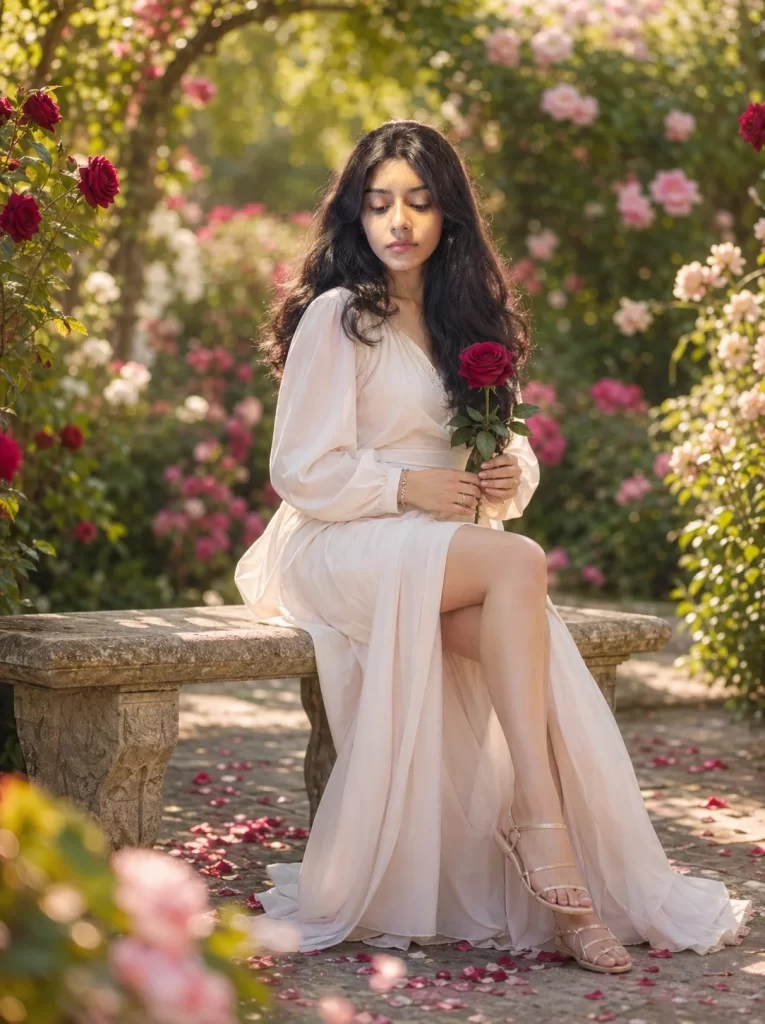
Use the uploaded photo as the exact face, skin tone, and eye reference — faithfully preserve the subject’s complete facial identity including exact skin tone with all natural undertones, precise eye color and shape with visible iris texture and natural catchlights, the exact brow arch and density, nose shape, natural lip color and fullness, and any distinctive facial details. Generate a breathtakingly beautiful hyper-realistic fullbody portrait of the same woman sitting gracefully on a weathered stone garden bench surrounded by a lush blooming rose garden in full flower. She is seated in a relaxed, natural pose — back slightly turned, one leg crossed over the other — holding a single long-stem deep red rose delicately in both hands, resting it gently in her lap, gazing downward at the rose with a soft, peaceful, contemplative expression. She wears a flowing soft white or blush-toned dress with delicate fabric moving lightly in a gentle garden breeze. The garden around her is in full summer bloom — rose bushes in deep red, blush pink, and ivory surrounding the bench, with soft dappled sunlight filtering through overhanging rose vines above. Fallen petals scattered naturally on the stone path around her feet. Background is richly blurred with bokeh of layered greens, pinks, and warm golds. Natural soft morning light creating a luminous glow on her skin with no harsh shadows. Groundlevel foreground petals slightly out of focus, adding depth and immersion. Shot on Canon EOS R5, 85mm f/1.4 lens, full-body portrait framing, photorealistic skin texture with visible natural pores, soft film color grade, 8K resolution, fine art garden photography quality.
Prompt 9Bridal Dream — White Gown, Blush Rose Bouquet
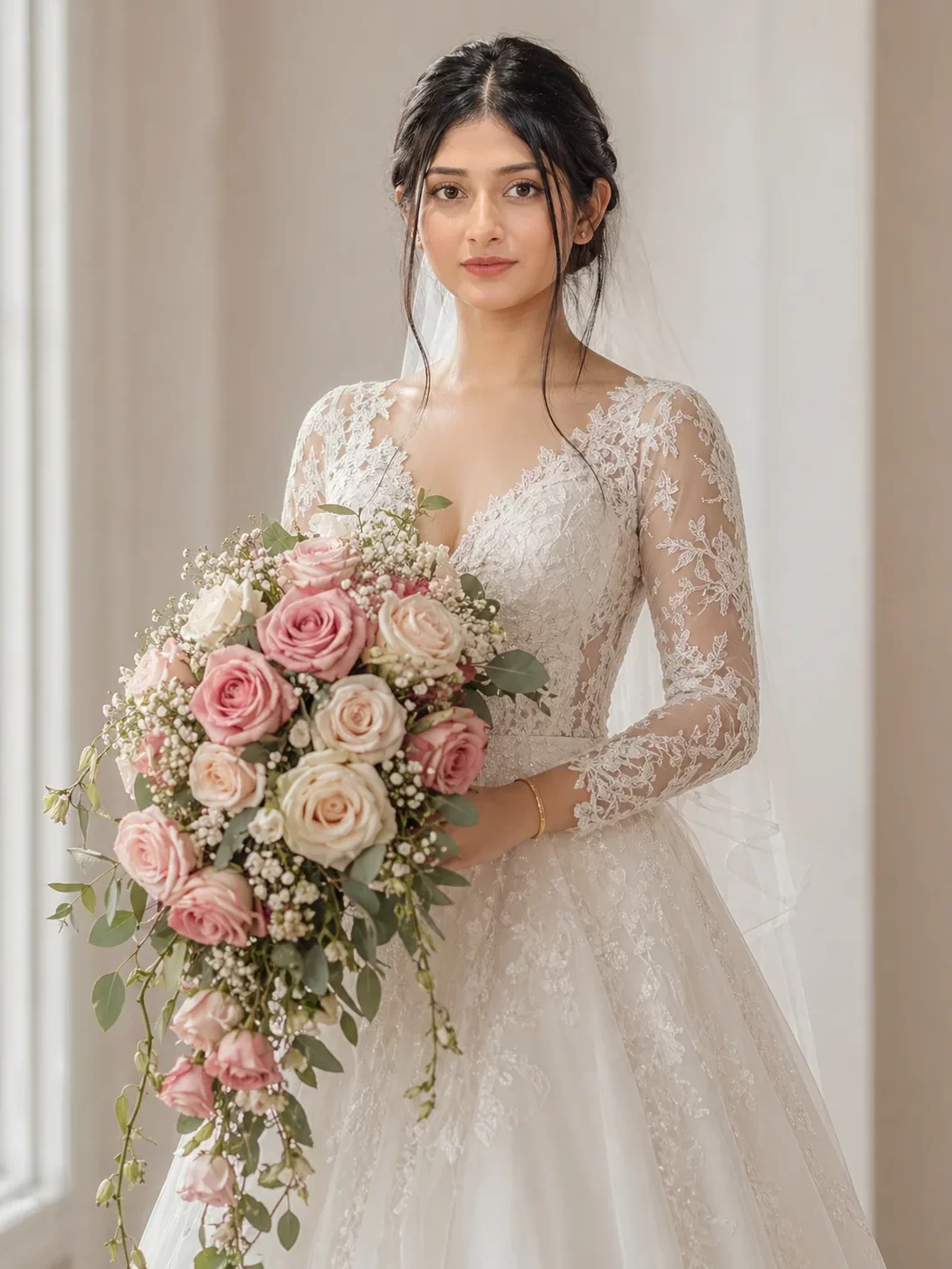
The uploaded photo is the face reference — retain the subject’s complete facial identity including exact skin tone and luminosity, natural eye color, the precise lid shape and lash pattern, the brow arch, nose bridge and tip shape, natural lip shape and color, and any distinctive facial marks or natural features. Generate a stunningly beautiful hyper-realistic bridal portrait of the same woman. She wears an elegant flowing white lace bridal gown and holds a cascading bouquet of blush-pink, ivory, and dusty-rose roses with eucalyptus and white baby’s breath. Her hair is gently swept up with soft face-framing tendrils falling naturally. Expression is serene, radiant, and quietly joyful. Soft natural window light from one side creating luminous, clean skin glow. Background is a softly blurred cream-white studio with gentle bokeh. Shot on Hasselblad X2D, 90mm, luxury bridal photography, ultra-clean hyperrealistic skin, 8K.
The uploaded photo is the definitive face identity reference — reproduce with absolute fidelity the subject’s skin tone including any warmth, coolness, or mixed undertones, all eye details including color, shape, natural catchlight positions and lash pattern, brow shape and thickness, unique nose shape, natural lip volume and color, and the overall distinctive face shape and proportions. Generate a commanding, ultra-realistic high-fashion editorial portrait of the same woman. Her hair is styled into a dramatic crown woven with dark red, burgundy, and black-edge roses — regal and fierce. She holds a single rose stem pointed downward at her side like a scepter. Her expression is direct, powerful, and magnetic. Stark high-contrast studio lighting with a white infinity background and a single sharp overhead spotlight creating a bold shadow silhouette beneath her. Shot on Phase One XT, 120mm Blue Ring lens, Vogue-quality fashion editorial, ultra-sharp, extreme detail, 8K.
How to Create Your Photo- Step-by-Step Guide
Follow these 8 steps to generate your perfect face-matched rose portrait using Gemini AI or Google ImageFX. No technical skills needed-just your photo and a prompt from above.
Choose Your Best Reference Photo
Select a clear, well-lit front-facing photo of your face. The best reference photos have: even natural lighting, no heavy filters, eyes clearly visible, and sharp focus on the face. Avoid heavily edited selfies — the AI needs real facial data to produce an accurate face match.
Open Google ImageFX or Gemini AI
For the best uploaded-photo face match, go to labs.google/fx/tools/image-fx which runs on Imagen 3 — Google’s most powerful image model. Alternatively, open gemini.google.com and start a new chat. Sign in with your Google account.
Upload Your Reference Photo
Click the image/attachment icon in the prompt field. Upload your chosen face photo. In Gemini Chat, click the paperclip or image icon and select your file. In ImageFX, look for “Add reference image.” Wait for the upload to complete before adding your prompt text.
Copy & Paste Your Chosen Prompt
Click the Copy Prompt button on any of the 10 cards above. Paste the full prompt into the text field alongside your uploaded photo. Do not trim or shorten the prompt-every sentence serves a specific purpose in guiding the AI toward your desired result.
Set Portrait Orientation & Style
If available, select 4:5 portrait ratio for Instagram feed posts, or 9:16 for Stories and Reels covers. Choose Photorealistic as the style mode. Set the highest available quality setting. These settings dramatically improve face accuracy and skin realism.
Generate & Compare All Variations
Hit Generate. The AI will produce 4 variations. Compare them side by side looking for: sharpest face detail, most accurate skin tone match, best eye realism, and most natural rose placement. Don’t settle for the first image — the 3rd or 4th variation often has the best face match.
Refine With Follow-Up Instructions
If the face isn’t quite right, add a follow-up: “Make the face match the uploaded photo more closely — adjust skin tone and eye color to match exactly.” If the lighting is off: “Soften the lighting and make it warmer.” If the rose looks unnatural: “Make the rose petals more detailed and realistic with visible texture.”
Download, Touch Up & Post
Download the highest resolution version available. For final polish, open in Lightroom Mobile (boost clarity +15, add subtle warm tone) or Snapseed (use the “Portrait” tool to enhance skin glow). Post to Instagram with the hashtag bundle below for maximum reach: #GeminiAI #AIPortrait #AIGirlWithRose #FaceMatchAI #TrendingAIArt #GeminiAIPhoto #RosePortrait #AIArtwork2025
AI portrait creation has moved far beyond generic faces. With the right prompt, Gemini AI can look at a photo of you and paint you into a world of roses, golden light, and cinematic beauty-accurately, personally, and stunningly.
The 10 prompts in this guide are your shortcut to that result. Each one has been engineered with precise face-match language, detailed skin and eye instructions, professional camera parameters, and clear lighting direction. Whether you choose the ethereal garden, the dark romance studio, the viral rose crown, or the romantic couple moment-your face belongs in that image. Upload your photo. Paste your prompt. Watch yourself become art.
Can Gemini AI really recreate my exact face using an uploaded photo?
Yes-with the right prompt language and a clear reference photo. Gemini AI and Google ImageFX (running on Imagen 3) can use an uploaded photo to extract your facial geometry, skin tone, and eye details and apply them to the generated image. The results aren’t always 100% identical, but with the detailed face-match prompts in this blog, you can get remarkably close- often close enough that friends recognize the portrait as you.
Which Gemini AI tool gives the best face match for uploaded photos?
Google ImageFX (labs.google/fx/tools/image-fx) currently gives the best results for face-referenced image generation, as it runs on Imagen 3-Google’s most advanced model. Gemini 1.5 Pro via gemini.google.com also supports image uploads and works well. For even more precise face consistency across multiple images, consider pairing these prompts with tools like Adobe Firefly or Midjourney’s reference image feature.
What type of photo gives the best face match results?
The ideal reference photo is: front-facing or slightly angled (no more than 30°), taken in natural even lighting, unfiltered or very lightly filtered, with clear focus on the face, and a relatively simple or plain background. Avoid dark photos, heavy beauty filters, sunglasses, dramatic shadows, or photos where your face is partially hidden-the AI needs full facial data to reproduce it accurately.
How do I make my AI-generated eyes look more realistic?
Add these specific phrases to your prompt: “natural catchlights visible in the iris,” “realistic iris texture with natural color variation,” “long natural lashes with slight variation in length,” and “soft natural shadow under the lower lash line.” Also specify the exact eye color as precisely as possible- “warm amber-hazel with a dark outer ring” is far more effective than just “brown eyes.”
Is it safe to upload my photo to Gemini AI?
Google’s Gemini AI and ImageFX operate under Google’s Privacy Policy and data handling terms. Your uploaded images are used to process your request. You can review Google’s AI-specific data practices at their privacy center. As a general practice, avoid uploading photos that contain sensitive location data or personal documents. Using a neutral portrait photo of yourself is generally considered safe within the platform’s terms.
I am a seasoned blogger with over 10 years of experience in content writing. I specialize in creating engaging articles on festivals and events, sharing cultural insights, traditions, and celebration ideas with readers worldwide. My work focuses on delivering informative and easy-to-understand content that connects with diverse audiences.